Datavideo AI Auto Tracking Camera Guide
Mar 06 2026

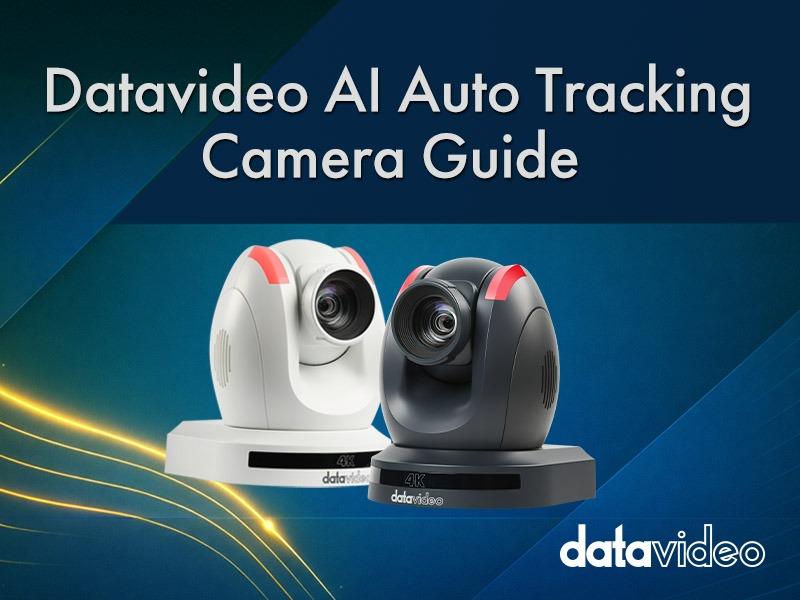
If you have ever operated cameras in a classroom, church, conference hall, or live event, you have probably experienced situations like these:
The speaker walks to the left side of the stage, and the camera is still trying to catch up.
The speaker suddenly returns to the podium, and the shot lags behind again.
Over a long event, the camera operator becomes exhausted—and the footage may still look unstable.
This is exactly why AI auto tracking cameras were developed.
AI allows cameras to find people automatically and follow them without constant manual operation.
However, auto tracking is not a magic button that instantly guarantees perfect results.
To achieve truly professional footage, you still need to understand:
When AI tracking may fail
When manual control should take over
How multi-camera systems should be organized
How controllers assist the workflow
And how the overall system—including cabling and streaming—should be designed
This guide takes a practical, real-world perspective to help you fully understand how AI auto tracking cameras work and how to deploy them effectively.
Simply put, an AI auto tracking camera uses image recognition technology to detect human shapes or faces, and then automatically controls the PTZ (Pan / Tilt / Zoom) mechanism to follow the subject.
When a presenter moves across the stage, the camera will:
Detect the person
Identify the subject’s position in the frame
Adjust pan and tilt to follow the subject
Adjust zoom to maintain proper framing
This entire process typically happens within tens of milliseconds.
However, there is an important point that many first-time users misunderstand:
AI tracking does not actually recognize a specific person.
Instead, it identifies something that looks like a person.
Because of this, tracking errors may occasionally occur.
For example:
Human-shaped standees on stage backgrounds
Faces displayed on LED walls
Someone briefly walking across the frame
All of these situations can cause the AI to hesitate or misidentify the subject.
👉 To learn more about the limitations of AI tracking, see: Limitations of AI Auto Tracking Cameras: Single Speaker, Multiple People, Occlusion, Backlight, and Stage Lighting
When selecting an AI auto tracking camera, many people initially focus only on resolution.
In practice, however, the following factors are often more important:
Optical zoom range
Sensor size
Low-light performance
This is because the stability of AI tracking heavily depends on image quality.
For example:
If the presenter is far from the camera and the optical zoom is insufficient, the subject will appear too small in the frame.
When the subject becomes too small, AI detection becomes less reliable.
This is why different venues require different camera specifications.
👉 For more details, see: Selection of AI Auto-Tracking Cameras for Sensor, Optical Zoom, and Field of View
Many people assume that once Auto Tracking is enabled, the entire production can run automatically.
In reality, professional production usually involves several elements:
Auto tracking shots
Preset camera positions
Safe shots (backup framing)
For example, in a teaching environment, a typical multi-camera setup may include:
Camera 1: Auto tracking for the main speaker
Camera 2: Whiteboard or presentation slides
Camera 3: Audience or wide safety shot
This structure ensures that all cameras are not chasing the same subject.
👉 Learn more here: Multi-Camera Layout Strategies: Speaker, Whiteboard, and Audience Tracking Examples
Even in the AI era, camera controllers remain a critical part of the system.
The reason is simple: real-world situations are unpredictable.
For example:
The speaker suddenly walks to the edge of the stage
Two people enter the frame simultaneously
Stage lighting changes dramatically
In these cases, operators often intervene quickly using a controller to:
Adjust the framing with the joystick
Recall a preset for a safe shot
Correct exposure or white balance
👉 See the full workflow here: PTZ Controller Workflow Joystick, Preset Buttons, and Exposure Control
Modern video production systems typically involve three main transmission methods:
NDI / NDI|HX (IP video streaming)
SDI (professional broadcast transmission)
HDMI (short-distance monitoring)
Each interface plays a different role.
For example:
SDI is often used for live production and large display outputs.
NDI is widely used for IP workflows and remote control environments.
HDMI is commonly used for local monitoring or teleprompters.
👉 Learn more here: NDI HX, 12G-SDI, and HDMI: Streaming and Cable Infrastructure Planning
AI auto tracking works best in situations involving:
A single speaker
Wide movement across the stage
Long-duration events
Typical examples include:
Classroom lectures
Corporate presentations
Church sermons
However, manual control is still preferable in certain situations, such as:
Multi-speaker discussions
Stage performances
Creative camera movements
👉 For a deeper discussion, see: Auto vs Manual Operation: When to Let the Operator Take Control
Different venues require different tracking settings.
For example:
Classrooms
The subject can be slightly offset to leave space for the whiteboard.
Churches
Framing is typically centered, with slower tracking movement for a cinematic look.
Conference rooms
Close-up framing is preferred, with faster tracking response.
👉 For detailed recommendations, see: Tracking Parameter Suggestions for Classrooms, Churches, and Conference Rooms
To ensure long-term stability of AI tracking systems, regular maintenance is essential.
This includes:
Firmware updates
Profile backups
On-site quick reset procedures
👉 Learn more here: Firmware Maintenance, System Reset, and Profile Backup Guide
In certain meeting or council environments, cameras can even follow the active speaker based on audio input.
In other words:
Whoever speaks becomes the camera target.
These systems are typically integrated with:
Microphone arrays
Conference microphone systems
DSP processors
👉 Learn more here: How AI Auto-Tracking Cameras Coordinate with Audio Systems
Different venues require different levels of camera capability.
For example:
Small classrooms
PTC-145 / PTC-285 / VTC-100
Medium conference halls
PTC-155 / PTC-305 / PTC-325
Large auditoriums or churches
PTC-600 / PTC-700
👉 For a full comparison guide, see: PTC Camera Model Comparison and Application Guide
Finally, we have compiled some of the most common questions users encounter when deploying AI auto tracking cameras, such as:
Why does the camera sometimes track the wrong person?
Why do LED walls interfere with tracking?
How can tracking performance be improved in low-light environments?
👉 See the full FAQ: Common Questions When Using Datavideo AI Auto Tracking Cameras